Isn't this just a filter?
No — and the difference is visible in one glance. A filter overlays a sticker on your camera feed; a green screen swaps in a flat image. LiveStage generates the entire frame with AI, live: light wraps around you, shadows move with you, and the set is different every single frame. Filters come from a fixed library; LiveStage scenes come from whatever you type. And no filter on any platform can put you in a tuxedo mid-sentence.
I'm a gamer or creator, not a seller — is this for me?
Yes — that's most of what it's used for. Stream from a neon arena, a haunted mansion or the deck of a starship; go on as a cyborg, an anime hero or a chrome android; switch sets mid-sentence for a new segment. LiveStage never touches your game capture, your overlays or your alerts — it transforms your camera, and your encoder composites it exactly where your facecam already sits. Live selling is one of the things people do with it, not the point of it.
Does the AI change how my product looks?
If you're selling: no — and that's the whole design. The AI transforms the environment; your product is shown through the Product Cam, a raw untouched feed with a "LIVE · REAL" badge your buyers can see. For maximum trust, point a second overhead camera at the item.
Can it change what I'm wearing too?
Yes — one click puts you in a tuxedo, wizard robes, a gold suit, a Santa outfit, and more, live, while you keep talking. Set and wardrobe combine ("haunted mansion + wizard robes" is one show). Only one thing is off-limits to the AI: the product you're selling.
How do AI scene minutes work?
Streaming is unlimited on every plan — minutes only tick while the AI set is actually on. Flip AI off with one tap (or the A key) and your real camera stays live, free. Most streamers run AI for the show open, big reveals and celebrations — a two-hour show typically uses a handful of minutes. Your remaining minutes are always visible in the studio, and if you run out mid-show the stream simply continues on your real camera. Don't want a subscription? Buy any amount of minutes pay-as-you-go — they never expire and stack on top of a plan's monthly minutes.
Will it work with my platform?
If you can capture a window, LiveStage works: Twitch, Kick, YouTube Live, TikTok LIVE, Discord, Whatnot, Amazon Live, Facebook Live — and it works the same inside a Zoom or Meet call. LiveStage outputs a clean full-screen window, and whatever you already stream with captures it like any other source — OBS, Streamlabs, TikTok LIVE Studio, or the share-screen button on a call. No platform approval, no plugin, no API.
Can I go live from my phone?
Today, your phone makes a great camera (via Camo, DroidCam or Continuity Camera) feeding LiveStage on your computer, which streams through whatever encoder you already use. Phone-native streaming is on the roadmap — the studio already runs in a mobile browser.
How fast is the transformation? Will viewers notice lag?
The transform is realtime video-to-video — around a second behind your movement, continuous, not frame snapshots. Your voice and chat interaction run at normal speed; the set just follows a beat behind, like a broadcast delay.
What happens to my camera feed? Is this private?
While the AI camera is on, your video streams to our realtime AI model provider for the transformation and comes straight back — that's the whole trip. LiveStage itself records nothing: we don't store your video, we don't save your broadcasts, and nobody here watches your stream. Switch the AI off and your raw camera stays live with no video leaving your machine at all. The full detail, including what our provider may do with content sent to them, is in our Privacy Policy — section 1, deliberately at the top.
Can I get clips for TikTok and Reels?
Yes — press ✂ Clip That (or X, or a Stream Deck key) and the last 30–60 seconds of your transformed show downloads instantly, with your mic audio included. Every crown moment, legendary pull and gold eruption becomes short-form content while you're still live.
What do I need to start?
A computer with Chrome, any webcam, and whatever you already stream with. OBS is the usual answer, but nothing here needs OBS specifically — Streamlabs, TikTok LIVE Studio and Whatnot’s own studio all capture a window, and on Zoom, Meet or Discord you can simply share the LiveStage window with no extra software at all. Sign in with your email, pick a scene, go live — about five minutes from zero to your first AI-staged stream.
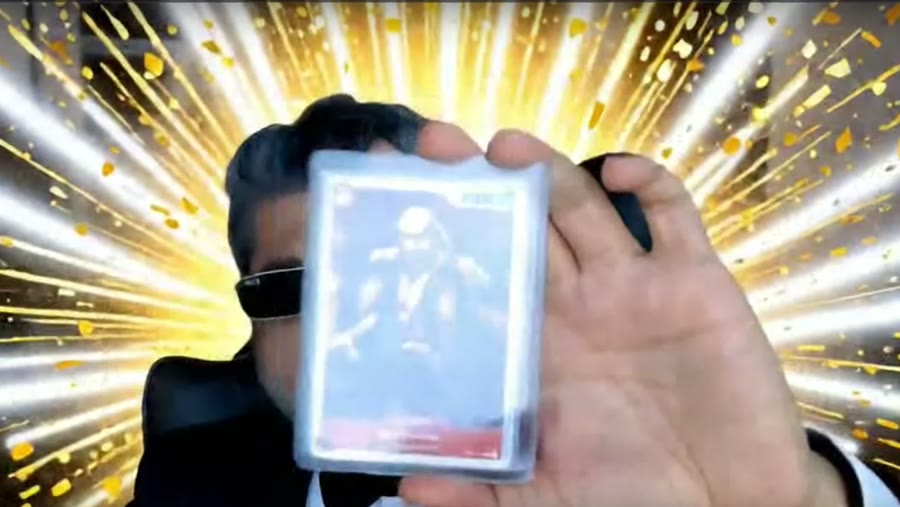 AI SCENE · LEGENDARY PULL
 LIVE · REAL